
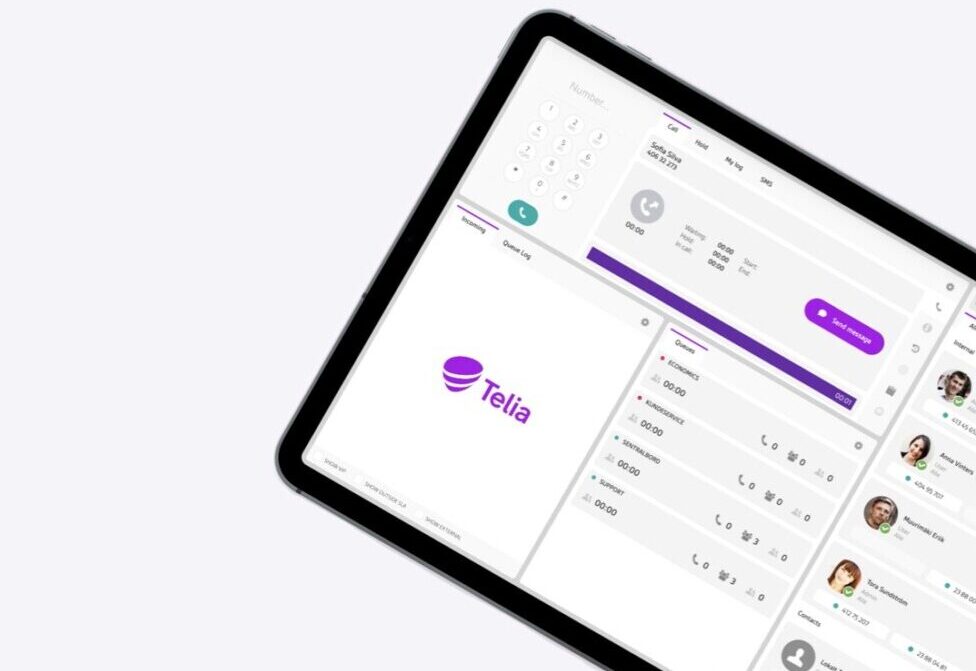
Telia Smart Connect is also available as an app on both the App Store and Google Play. This means that you can access your switchboard on your mobile devices with just a few taps, making it even more convenient to have full control.



Most organisations now run several hundred applications, but only around a quarter of them are connected to each other. As work spreads across more systems, and AI agents start to act on the data inside them, integrations are going from a nice-to-have to the foundation of how work gets done. Here’s why, and what it means for your telephony.
Why integrations are becoming essential
Every year, Salesforce’s Connectivity Benchmark Report asks over 1,000 IT leaders how their organisations connect their systems. The 2026 edition shows the number of apps keeps growing, while only 27% of them are integrated.
Every system that isn’t connected holds information the rest of the organisation can’t see. Customer details stay in one tool, call history in another, and valuable insights get lost along the way. Teams end up working with half the picture, switching between systems and making decisions without all the facts, which makes the workday slower and less efficient than it needs to be.
AI raises the stakes. In the same report, 96% of IT leaders agree that AI agent success depends on seamless data integration across all systems, and 94% say their IT architecture will need to become more API-driven. Assistants and automated workflows can only make use of the information they can reach.

Your telephony is part of the picture
Calls are often where your most important conversations with customers happen, and Smart Connect knows a lot about them: who is calling, who is available, which queue is busy and how a call was handled. When that information stays inside the phone system, your CRM, helpdesk and reporting tools miss part of the story.
For Microsoft Teams, Microsoft 365 and Microsoft Entra ID, Smart Connect offers ready-made standardized integrations, which we cover in Microsoft Teams voice & presence integrations: Differences & use cases. For other business systems, there are two API options: API lookup and the Integrator API.
API lookup: The right context in every call
API lookup connects Smart Connect to an external system, such as a CRM or helpdesk. When a call comes in, the caller is matched against the customer data stored there, so you can see who you’re talking to, for example name, customer ID, email and notes.
API lookup is template-based. A ready-made template is available for Zendesk, so no full development work is needed. Setting it up does require some technical competence, for example to configure the connection to the external system and choose which data to show.
Integrator API: Build integrations that fit your business
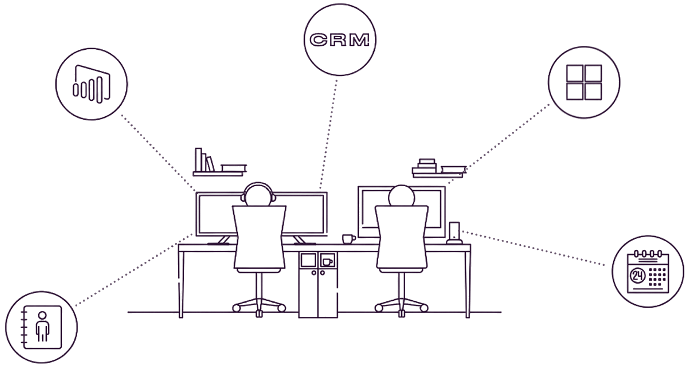
When you need more than a lookup, the Integrator API lets you build integrations that fit the way your business works. This requires a developer or system integrator, who can connect Smart Connect with your CRM, HR, reporting and other business systems to support tailored workflows. It combines a REST API with WebSocket APIs for live events, so other systems can both read and act on what happens in your telephony.
- Users, contacts and queues: Read and update user details, global contacts, queue members and calendar events.
- Live events: Subscribe to changes in availability, live call status and queue log-ins.
- Call control: Start calls with click-to-call, transfer calls, make assisted transfers and end calls from another application.
Examples of solutions connected through the Integrator API include Puzzel, Trio and Genesys.
API lookup and Integrator API in everyday work
The API options bring Smart Connect into your CRM, helpdesk and reporting tools, so call information is available where your teams need it.

API lookup: Information directly in the call
When a call arrives, Smart Connect looks up the caller in your CRM or helpdesk, such as Zendesk, and shows what it finds. No searching, and no asking the customer to repeat themselves.

Integrator API: Call straight from your CRM
Click a number in your CRM, helpdesk or internal tool and the call starts through Smart Connect. Transfer and end calls from the same window.

Integrator API: Call data in your own dashboards
Stream call status, availability and queue activity live into the reporting tools you already use.
How to get started
API lookup is enabled and configured by an administrator in Smart Connect. See the API lookup integration guide and the Zendesk guide. For tailored integrations, the Integrator API user guide has the information your developer or system integrator needs. The full Swagger documentation is available in Smart Connect, in the API section under Integrations.
Make your telephony part of a connected workplace
When Smart Connect is connected to the systems your teams already use, information reaches the people who need it, conversations get better context and work flows more smoothly.
Would you like to see what integrations can do for your organisation? Explore the Integrations page or contact us to learn more.



Ready to connect?
Speak with one of our local sales offices today to learn more about the possibilities and opportunities Telia Smart Connect can bring to your team.
Connect with us