
Telia Smart Connect is also available as an app on both the App Store and Google Play. This means that you can access your switchboard on your mobile devices with just a few taps, making it even more convenient to have full control.





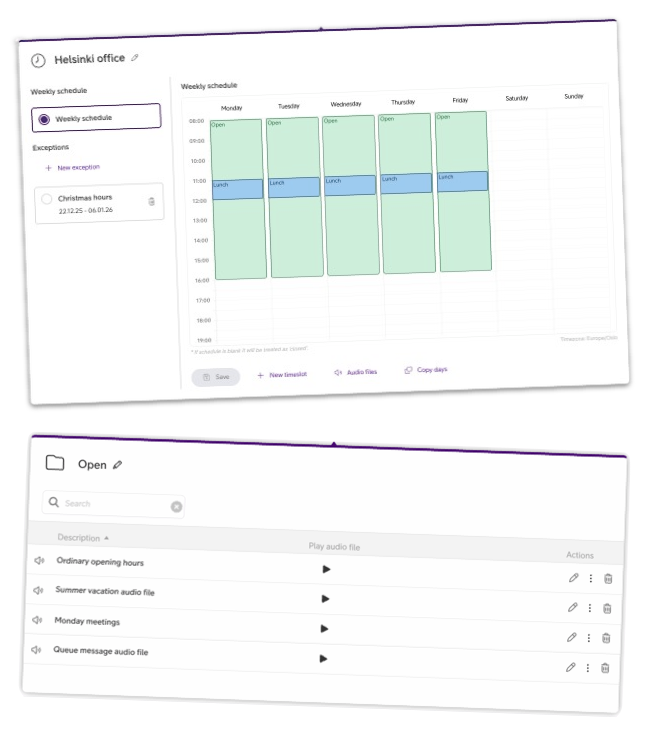
Clear communication starts even before a call is answered. With Opening Hours and Audio Files in Smart Connect, administrators can decide when the business is reachable and what callers hear when they get in touch – during office hours, after hours, holidays or other special days.
What are Opening Hours and Audio Files?
Opening Hours define when the business is considered open or closed in Smart Connect. These settings control how incoming calls are handled at different times of day, during weekends, holidays, or temporary closures.
Audio Files are pre-recorded messages that are played to callers based on the opening hours or call flow setup. Typical examples include:
-
A welcome message during office hours.
-
An after-hours message explaining when the business will reopen.
-
Temporary information, such as holiday hours or service disruptions.
- Inform about menu selections.
Together, they ensure that callers are never met with silence, and that the message they hear always matches the current situation.
Why use Opening Hours and Audio Files?
These features are especially valuable for businesses that want to appear consistent, reliable, and easy to reach – even when no one is available to answer the phone.

Clear expectations
Customers immediately understand whether the business is open or closed, and when it can expect to get in contact.

Less manual work
Set once, and let it run. No need to remember to open or close for the day.

Professionalism & trust
Clear, structured messages build trust and a good first impression.

Flexibility
Easily adjust for holiday, seasonal hours or other exceptions to the opening hours.
How to use Opening hours and Audio files
Opening Hours and Audio Files are configured by administrators and work together to control how incoming calls are handled at different times.
Opening hours in practice
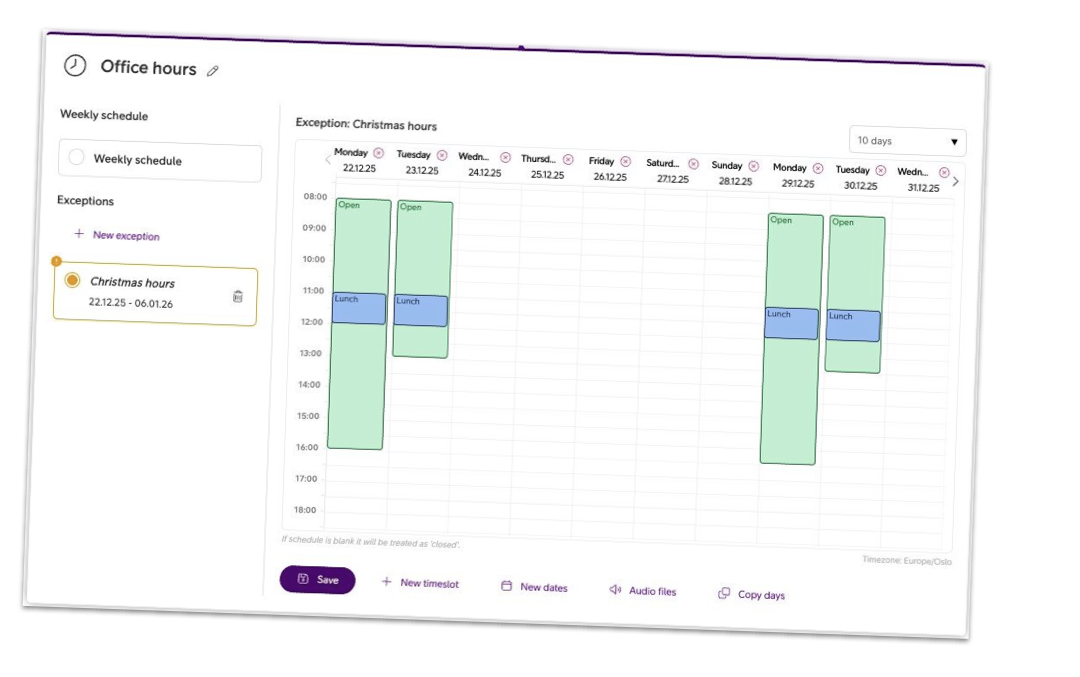
With the Opening hours module, you define when and how calls should be handled:
- Set standard opening hours for your normal business days.
- Add exceptions for holidays, vacations, or special events.
- Define different states such as open, closed, or lunch, and connect them to relevant audio messages.
Opening hours can be reused across call flows, making it easy to apply consistent logic throughout your setup.
For detailed guidance, see the Opening hours user guide.
Audio files in practice
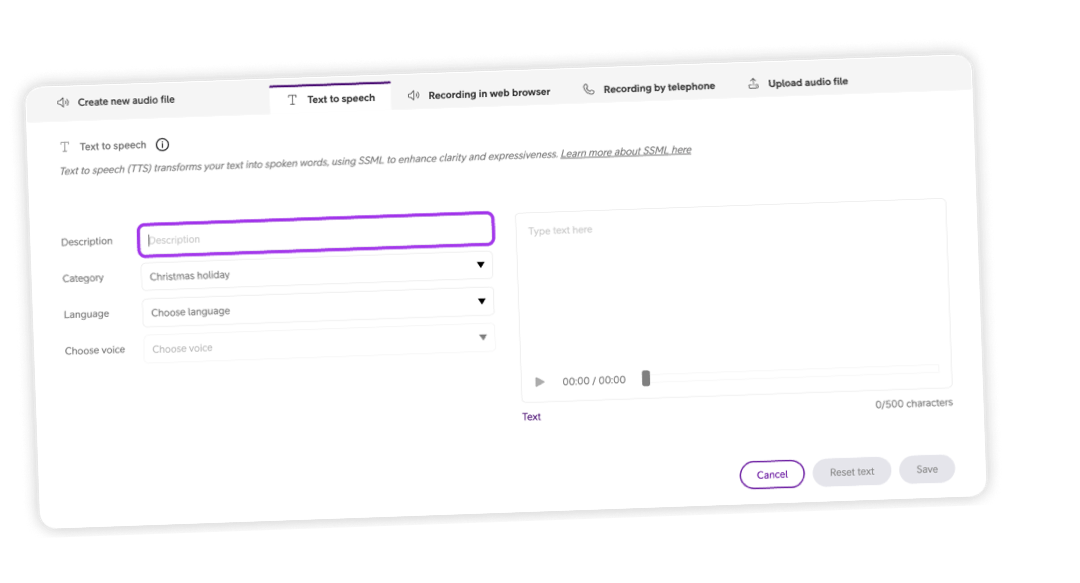
The Audio files module gives you several ways to create and manage messages, depending on your needs:
- Record a new audio file directly in your browser or via telephone.
- Upload an existing audio file if you already have a professionally recorded message.
- Create a new audio file using text-to-speech (TTS) by simply writing your message and letting Smart Connect generate the audio for you.
You can organise audio files into categories, preview them before use, and easily attach them to different parts of your call flow.
For step-by-step instructions, see the Audio files user guide.
Coming soon: Opening Hours & Audio files in the mobile app
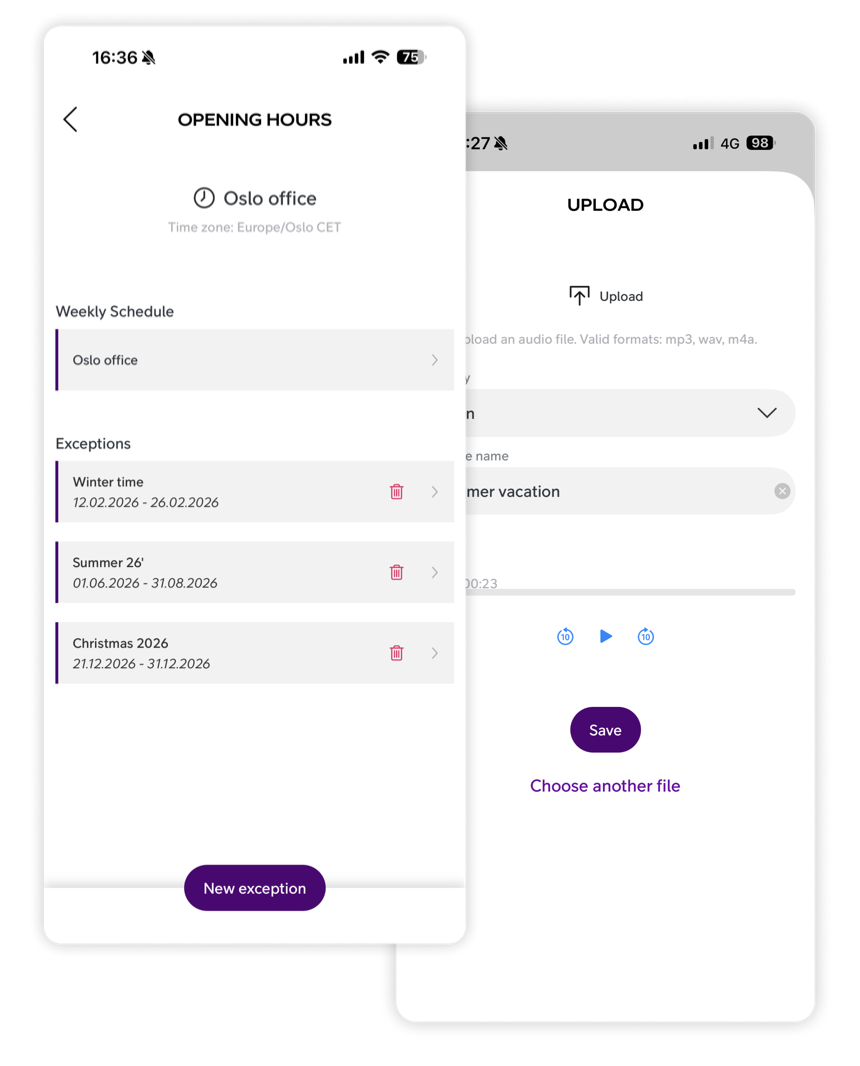
Good news for those who primarily use the Smart Connect app. Opening Hours and Audio files will soon be available directly in the mobile app – eliminating the need to log in via desktop to make changes.
Perfect for quick updates, last-minute adjustments, or unexpected changes when you’re away from your desk.
Want to learn more?
Opening Hours and Audio Files are powerful tools for shaping the caller experience and ensuring clear communication – before a call even has been answered.
Explore the user guides below or get in touch to learn how Smart Connect can help your business create a smoother, more professional call flow.
User guides:



Ready to connect?
Speak with one of our local sales offices today to learn more about the possibilities and opportunities Telia Smart Connect can bring to your team.
Connect with us