
Telia Smart Connect is also available as an app on both the App Store and Google Play. This means that you can access your switchboard on your mobile devices with just a few taps, making it even more convenient to have full control.




Direct Call Log
The Direct Call Log provides an easy-to-read overview of all direct calls to and from a user’s Telia Smart Connect number(s). This includes both external and internal calls, along with useful details like when the call happened, whether it was incoming or outgoing, and how long it lasted.
To respect privacy, each user must actively choose to share their call data before it appears in the report.
Getting started
Fetching the Direct Call Log (Administrator)
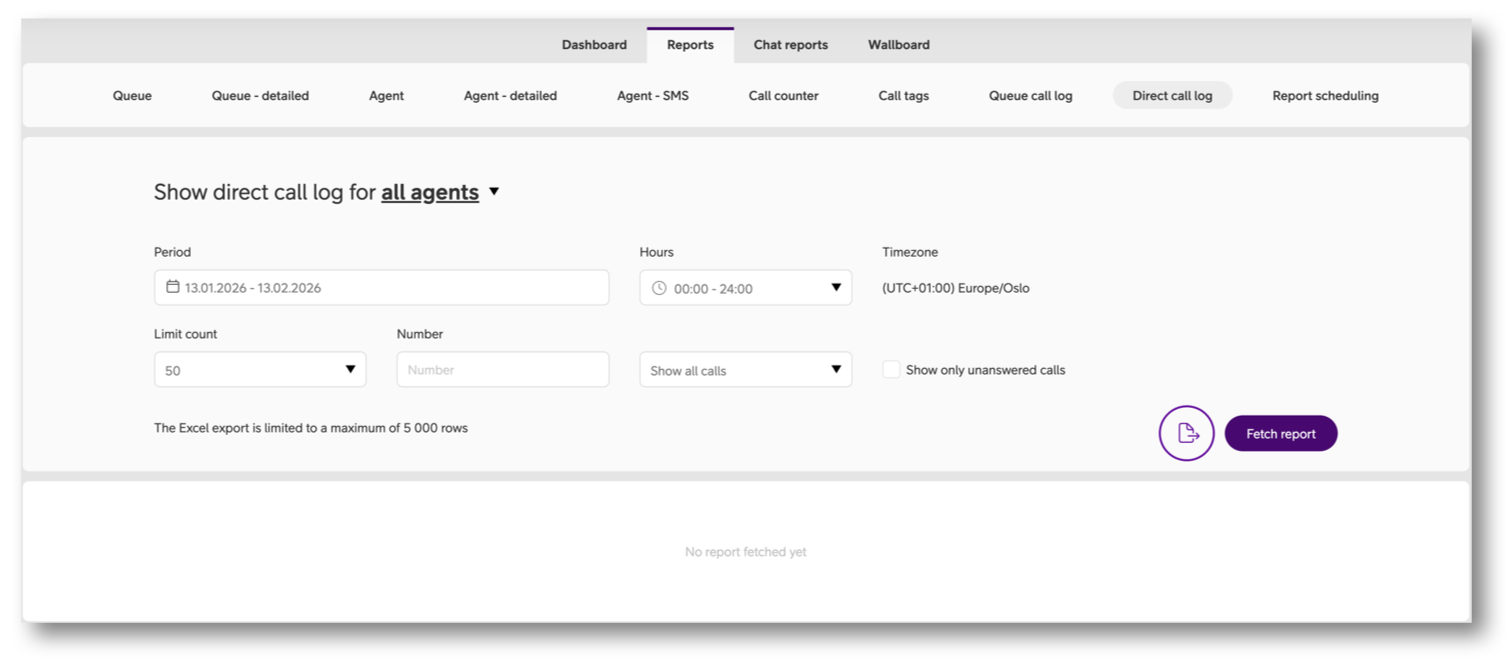
As an administrator you can access the report by following the steps below:
- Enter the main menu ☰
- Click “Statistics”
- Click the tab “Direct Call Log”
- Adjust filters, e.g. period and call type.
- Click “Fetch report”
- If you wish to export to Excel, click the round export button.
Managing data sharing (User)
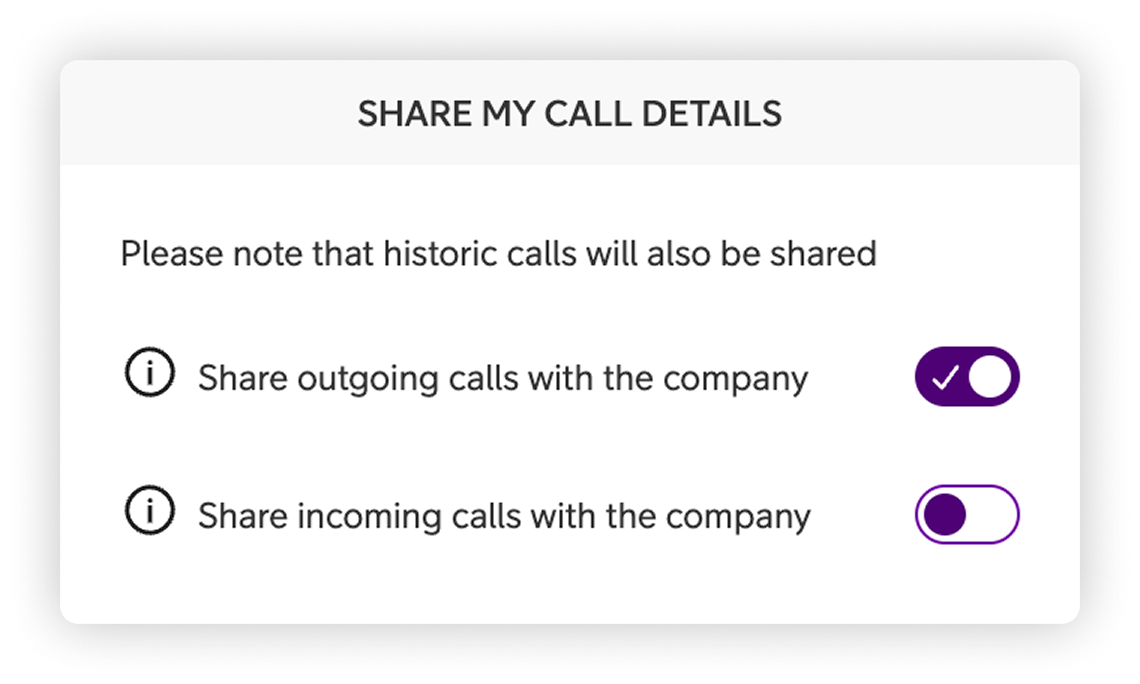
Each user is in full control of how their call data is shared in the Statistics module:
This is done by:
- Click “My Profile” in the top right corner
- Click the tab “Settings”
- Scroll down to “Share my call details”
- Toggle on or off preferred settings. You have three choices
-
-
Share nothing (default)
-
Share outgoing calls only
-
Share both incoming and outgoing calls*
-
*It is not possible to only share incoming calls, outgoing calls must be activated too.
Note: Once call sharing is enabled, it applies to both future calls and previous call history.
Included in the report
- One combined list of all incoming and outgoing direct calls per user (mobile or fixed).
-
Call details such as start time, duration, call direction, and the calling or called number.
-
A simple but powerful way for admins and team leads to spot call patterns – without access to call content.
User Guides
Here you can find user guides connected to the feature topic. If you can’t find what you are looking for here you might find it in our main user guide archive.
User Guides