
Telia Smart Connect is also available as an app on both the App Store and Google Play. This means that you can access your switchboard on your mobile devices with just a few taps, making it even more convenient to have full control.




Mobile App – Call History
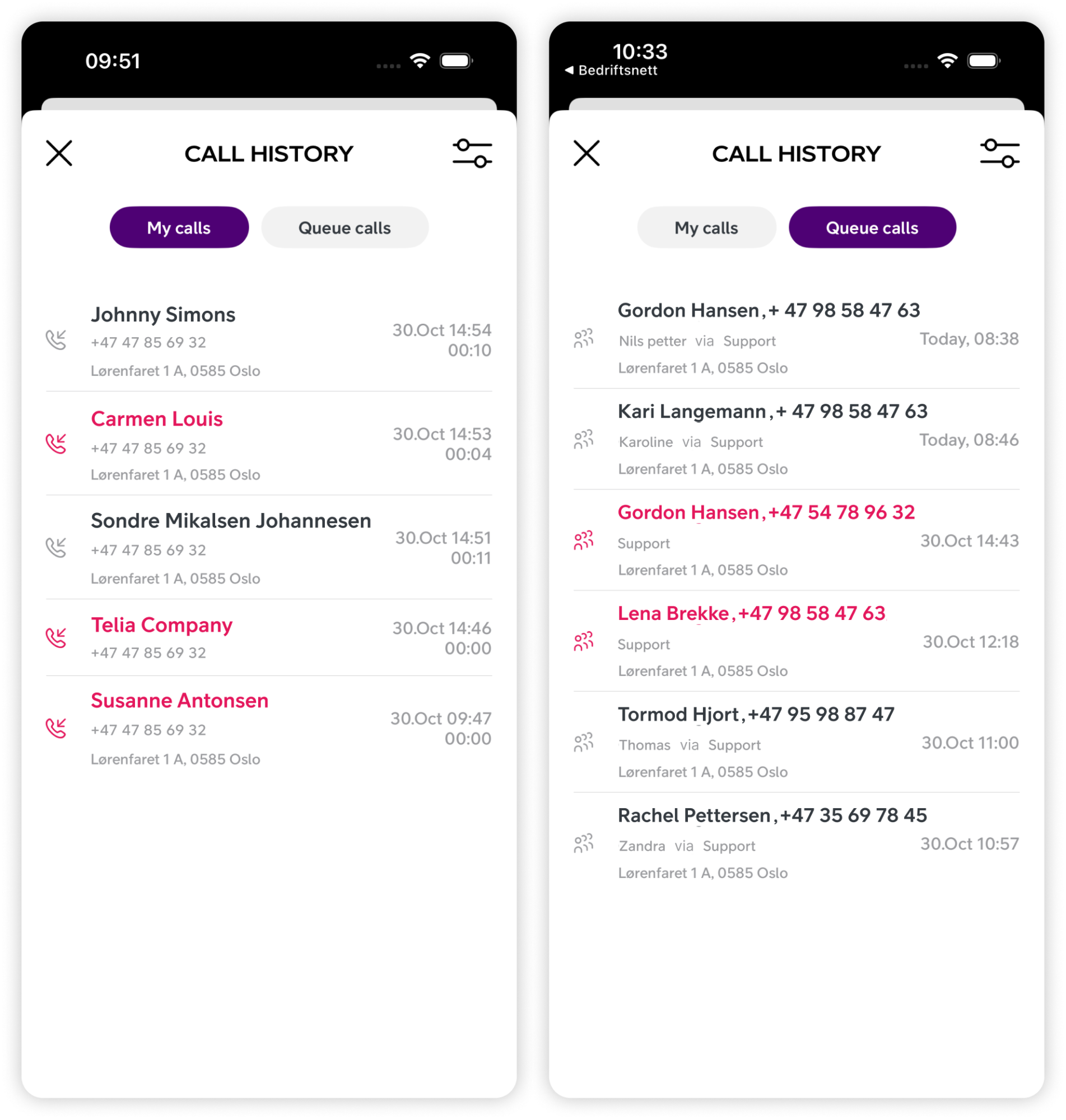
The call history feature in the mobile app offers a comprehensive view of all calls, whether personal or related to your queues.
How to get started
- Enter the Smart Connect mobile app.
- Enter the main menu ☰.
- Click “Call history”.
- Select tab – either “My calls” or “Queue calls”.
My calls – Personal call log
Provides an overview of all calls made from or to your phone numbers in Smart Connect with information about date, time and duration of the call.
In addition we will display information registered on the number from the Company Directory or external number lookup.
Tap a call record to open “Call”, “Send SMS”, “Create new contact” or “Add to existing contact”.
Missed calls are marked red.
Queue calls – Incoming calls to your queues
The queue log provides an overview of all queue calls for the queues you are a member of, with information about date, time and duration of the call as well as information about the name of the queue.
In addition we will display information registered on the number from the Company Directory or external number lookup.
For answered calls you will also see information about which user that has answered.
Tap a call record to open “Call”, “Send SMS”, “Create new contact” or “Add to existing contact”.
Missed calls are marked red.
User Guides
Here you can find user guides connected to the feature topic. If you can’t find what you are looking for here you might find it in our main user guide archive.
User Guides